端侧视觉定位 · 自带密钥直连 · 人工确认与硬件急停 On-Device Grounding · BYOK Direct HTTPS · Human Confirmation

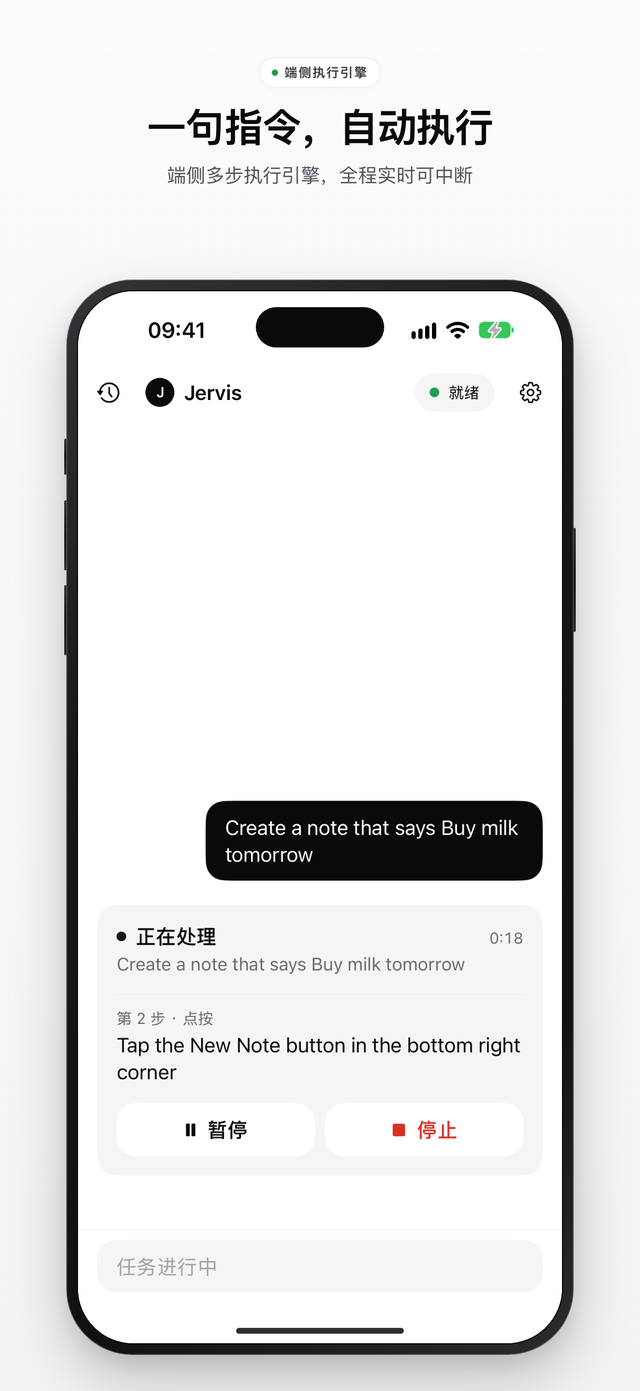
一句指令,代你完成跨应用操作。 One prompt. Multi-step control across iOS apps.

Jervis 由 AutoArk 打造,内置 CoreML Apple 神经引擎视觉定位与 Apple Vision OCR,通过本地脱敏管线直连你自配的 AI 端点,并在所有不可逆动作前暂停等待你的确认。 Built by AutoArk, Jervis pairs on-device CoreML Apple Neural Engine grounding and Apple Vision OCR with MaskingKit redaction, direct BYOK endpoints, and mandatory human approval before critical steps.

Jervis App Icon
Jervis for iOS
AutoArk 出品 · 零账号架构 By AutoArk · Zero Accounts
核心能力 Architecture & Capabilities

端侧优先,全程可见可控 Local-first intelligence with strict safety boundaries

将识别、脱敏、凭据存储与急停边界牢牢留在你的设备本地,不经手任何中转服务器。 Recognition, redaction, credential storage, and emergency interruption stay on your iPhone with zero AutoArk proxy or tracking servers.

端侧识别与定位 On-Device CoreML ANE + Vision OCR

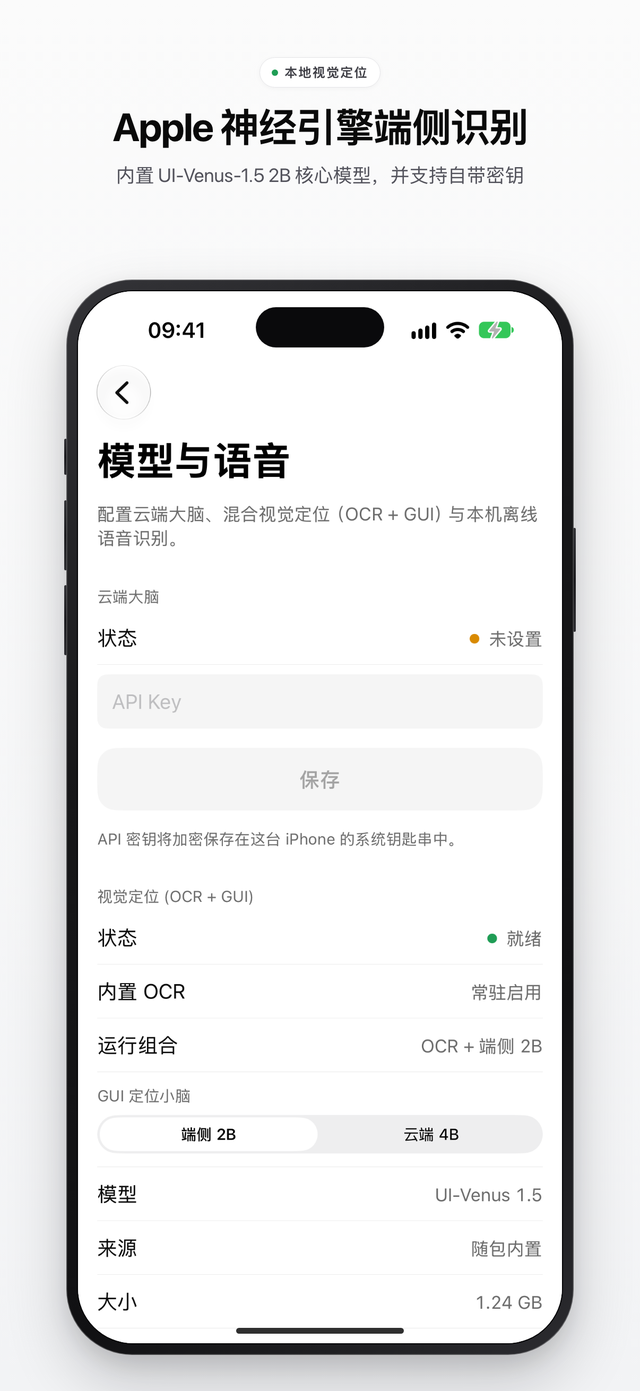
随包内置 UI-Venus-1.5 2B 与 Apple Vision OCR Built-in UI-Venus-1.5 (2B) CoreML & Apple Vision OCR

端侧文字识别与主用视觉定位模型均已随应用安装包内置,直接在 Apple 神经网络引擎(ANE)上离线运行,无需安装后额外下载;语音指令默认由系统内置 Apple 端侧语音引擎本地转写,或按需选用本地离线 ASR。 UI-Venus-1.5 (2B) CoreML visual grounding weights are bundled directly inside the app and execute offline on Apple Neural Engine alongside Apple Vision OCR, with zero post-install model downloads.
自带密钥直连与本地脱敏 BYOK Direct HTTPS + MaskingKit

MaskingKit 出站前本地遮挡 + iOS Keychain Local PII redaction before egress & Keychain storage

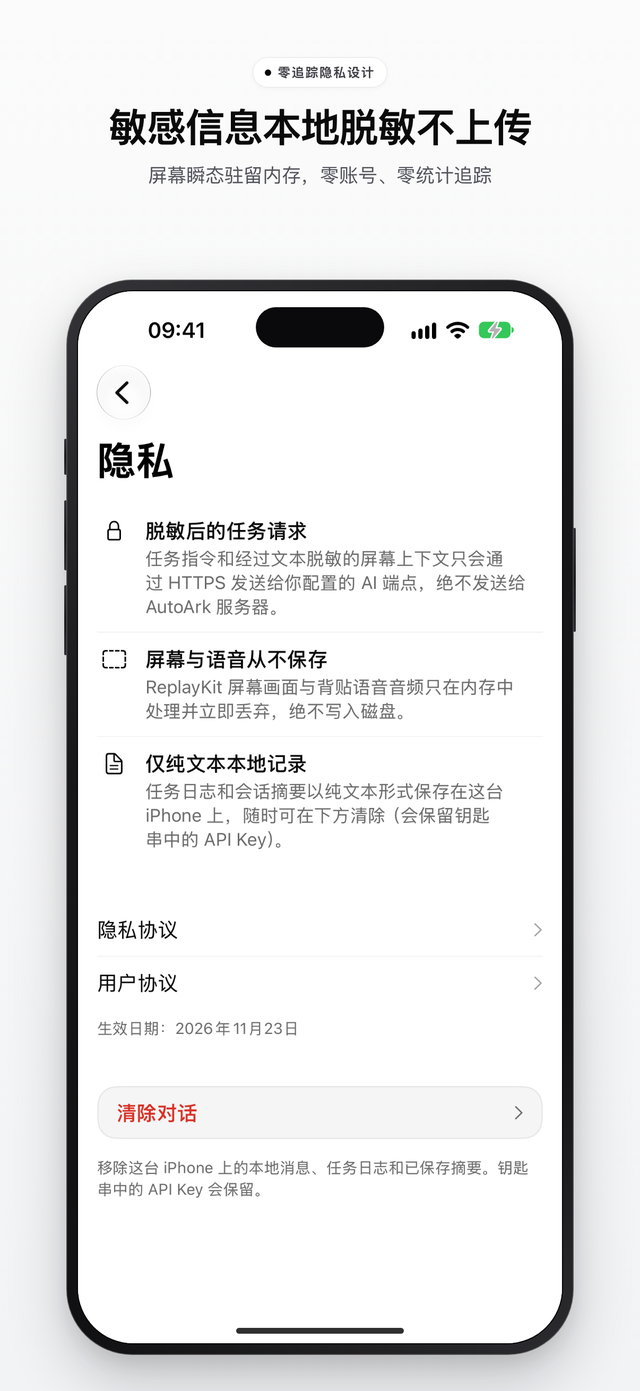
你的 API Key 存储在硬件支持的 iOS Keychain 中,仅通过 HTTPS 从设备直连你指定的 OpenAI 或 Anthropic 兼容端点。所有出站内容先在本地经 MaskingKit 规则与 Vision 图像遮挡隐藏密钥、密码、验证码、手机号与证件号。 Your API key stays in hardware-backed iOS Keychain and connects over HTTPS directly to your OpenAI- or Anthropic-compatible endpoint. Before upload, MaskingKit redacts keys, passwords, OTPs, phone numbers, emails, and IDs locally.

人工确认与分级急停 Human Approval + KEYB Emergency Stop

高风险必暂停,硬件双击 KEYB 立即急停 Mandatory confirmation & instant hardware interruption

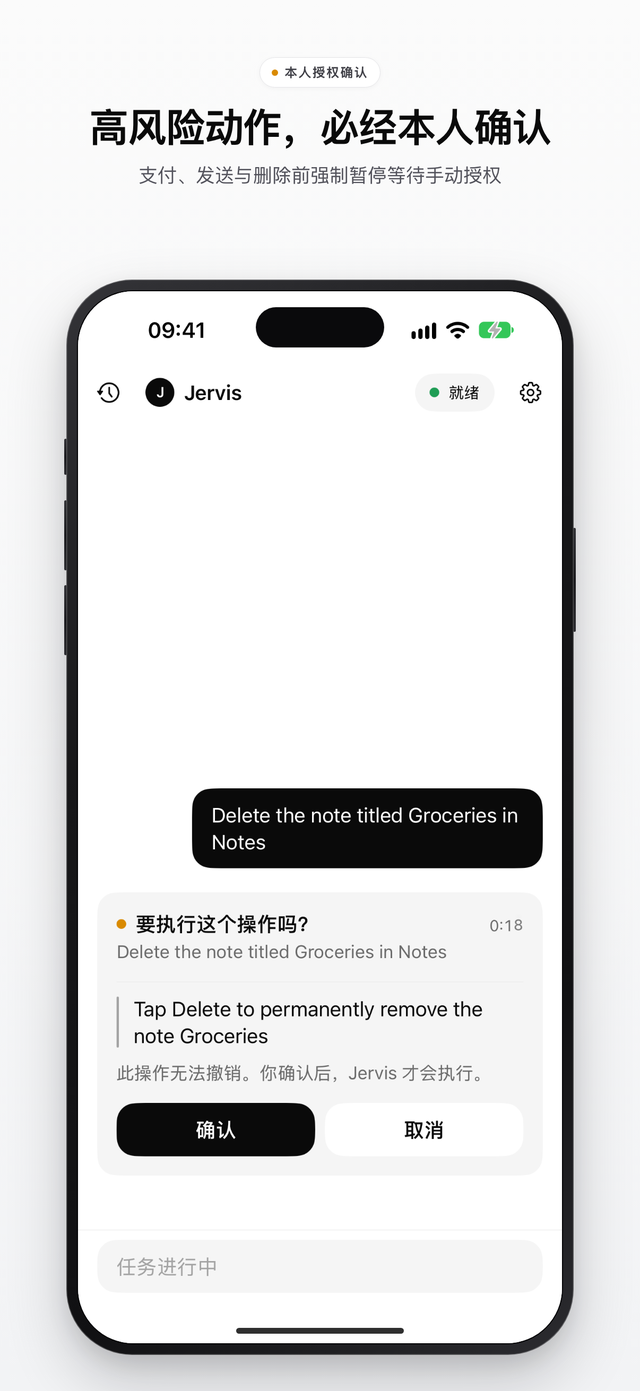
涉及支付、转账、消费、发消息或删除等不可逆动作前必定暂停,等待你在手机屏幕或蓝牙配套硬件确认键(KEYA)手动授权。锁定屏幕、点击“停止”或双击配套硬件急停键(KEYB)均会立即中止执行。 Payments, transfers, messages, and deletions always pause for your explicit confirmation on screen or via the companion KEYA button. Locking iPhone, tapping Stop, or double-tapping hardware KEYB halts automation immediately.

系统扩展协同 JervisKeyboard · ReplayKit · Live Activity

直写中文输入、瞬态屏幕广播与灵动岛进度 Direct keyboard entry, transient broadcast & Live Activity

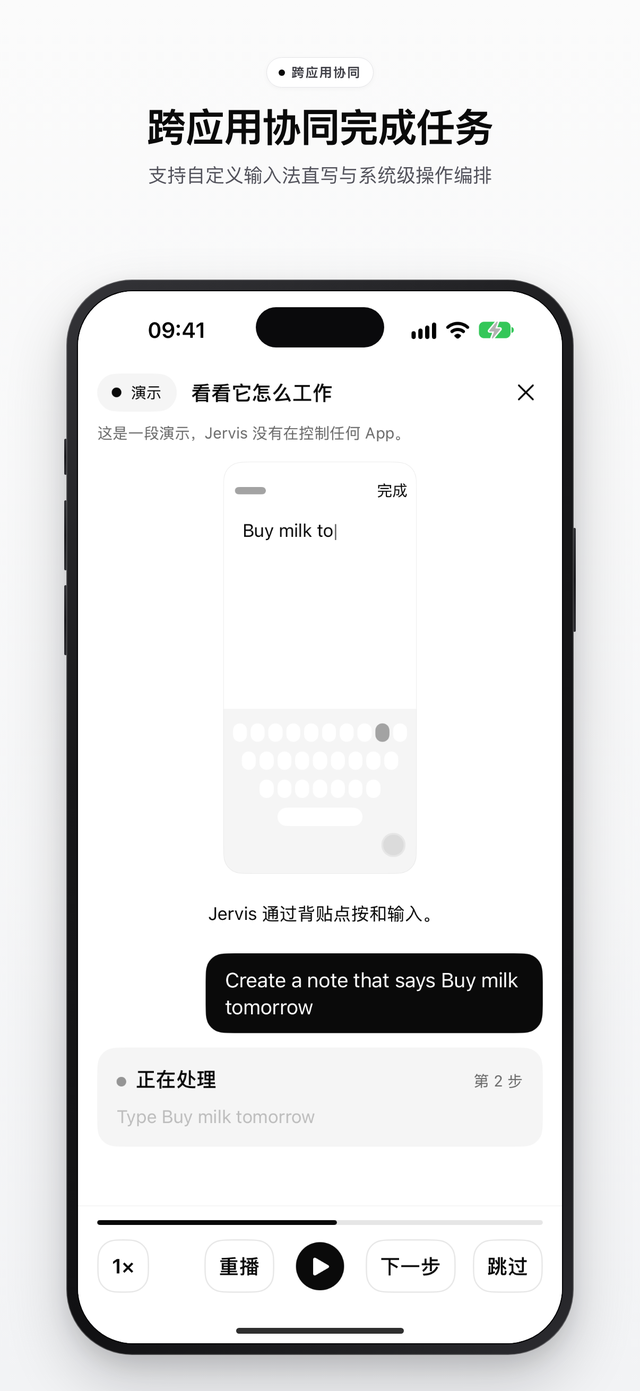
JervisKeyboard 通过本地 App Group 信箱一步输入中文与标点并自动退回,且严格跳过密码与验证码输入框;ReplayKit 屏幕帧仅驻留内存并在停播时清理;灵动岛通过本地 WidgetKit 刷新进度,无需通知权限。 JervisKeyboard enters Chinese and mixed text via a local App Group mailbox and switches back while bypassing secure fields. ReplayKit frames stay strictly in memory, and Live Activity updates locally via WidgetKit with no push permissions.

四步上手 Quick Start

几分钟完成本机配置 Ready in four straightforward steps

没有自带密钥或蓝牙贴片?也可以先在欢迎页点击“看看它怎么工作”直接体验内置交互演示。 No API key or Bluetooth companion yet? Tap “See how it works” on the Welcome screen to explore the built-in interactive demo first.

1

填入自配密钥 Configure BYOK Key

配置 OpenAI 或 Anthropic 兼容接口地址与 API Key,密钥直接加密保存在 iOS Keychain。 Enter your OpenAI- or Anthropic-compatible endpoint and API key. Credentials stay in iOS Keychain.

2

开启系统能力 Enable AssistiveTouch & Keyboard

在系统设置开启“辅助触控”并启用 JervisKeyboard“允许完全访问”(按需配对蓝牙配套硬件)。 Turn on AssistiveTouch and allow Full Access for JervisKeyboard (plus optional Bluetooth companion pairing).

3

开启屏幕共享 Start Screen Broadcast

通过系统录屏选择器开启 JervisBroadcast,并在应用内输入或按住语音下达任务指令。 Activate JervisBroadcast via the system Broadcast Picker and enter or speak your multi-step request.

4

监管与人工确认 Supervise & Confirm

通过灵动岛实时查看进度;遇到支付、发信或删除时核对详情后确认,异常随时急停。 Track progress in Dynamic Island, manually confirm critical actions, and tap Stop or hardware KEYB anytime.